Overview of What Nanonets Offers
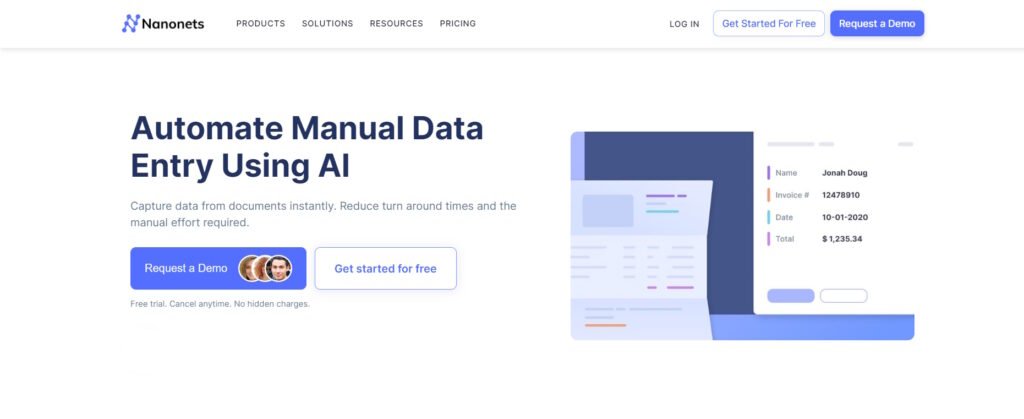
Nanonets is an AI powered document processing tool built to help teams cut down the time they spend on repetitive data entry. Instead of manually extracting information from invoices, receipts, forms, or PDFs, the platform uses machine learning models to read, sort, and export data into the systems you already use. It is aimed at finance teams, operations teams, and any workflow nanonets reviews where documents pile up faster than people can handle. What makes Nanonets stand out is its push toward automation that feels simple enough for non technical users, yet flexible enough for teams that want to customize models or build multi step workflows. The platform positions itself as a way to eliminate bottlenecks, reduce errors, and give teams more time to focus on higher value tasks.
Ease of Use and Setup Experience
One of the strongest advantages of Nanonets is that it keeps the onboarding process straightforward. Most users can upload a batch of documents, pick a prebuilt model, and get usable results within minutes. The interface aims to guide you rather than overwhelm you with options. You can adjust fields, correct mistakes, and train the model with a few clicks. Nanonets also avoids burying important functions behind complex menus. Even when users build workflows that send extracted data to tools like QuickBooks, Google Sheets, or Zapier, the steps remain clear enough to follow without a technical background. This makes Nanonets a practical choice for small and mid sized teams that do not have dedicated automation engineers.
Accuracy and Performance Across Document Types
In terms of accuracy, Nanonets performs well with clean, structured documents such as standard invoices, purchase orders, and ID cards. The more predictable the layout, the stronger the results. The platform can also handle unstructured or messy documents, though users may need to spend a bit more time training the model to understand unusual layouts. One helpful feature is the human in the loop review screen, where teams can check and approve extracted fields before they move into other systems. This keeps mistakes from slipping through while still speeding up the overall process. Performance is consistent once models are trained, and Nanonets continues to learn from user corrections, which leads to more reliable long term results.
Workflow Automation and Integrations
Nanonets becomes most valuable when used as part of a larger workflow rather than a simple extraction tool. Users can design automated sequences where documents enter an inbox, get classified, pass through the extraction model, move to validation, and land in accounting tools or spreadsheets. The no code workflow builder is flexible enough to support branching logic, approvals, and routing rules. Integrations are another strong point. Nanonets works with common tools used in finance and operations, which reduces the friction of adding automation to an existing process. This keeps teams from having to switch platforms or rebuild their infrastructure to take advantage of AI automation.
Pricing and Value for Teams
Pricing can be a mixed experience depending on the size of the organization. Smaller teams may find the entry level plans reasonable, especially when considering the hours saved each month. Larger teams or those with high document volume may face higher costs, though the value often makes sense if automation replaces manual labor or helps avoid compliance issues caused by human error. Nanonets also offers custom plans for companies that need advanced models or priority support. While not the cheapest option on the market, the balance of ease, accuracy, and workflow features gives it a solid value for most use cases.
Final Verdict
Nanonets is a reliable and user friendly document automation tool that helps teams move faster with less manual work. Its strengths include an intuitive interface, strong performance with common document types, flexible workflows, and solid integrations. It may not be the perfect match for every budget or for teams with extremely complex documents, but for most organizations looking to modernize their operational processes, it delivers a clear and practical advantage. It is a tool that gets the job done without adding complications, making it a smart option for teams trying to streamline their day to day work.
About the Author
